Project & Build System
The SDK-Style .csproj Format
Modern .NET uses a simplified, SDK-style .csproj format that is much cleaner than the legacy format. It is XML-based but requires far fewer lines.
<Project Sdk="Microsoft.NET.Sdk">
    <PropertyGroup>
        <TargetFramework>net8.0</TargetFramework>
        <OutputType>Exe</OutputType>
        <Nullable>enable</Nullable>
        <ImplicitUsings>enable</ImplicitUsings>
    </PropertyGroup>

    <ItemGroup>
        <PackageReference Include="Newtonsoft.Json" Version="13.0.3" />
    </ItemGroup>
</Project>
The Sdk attribute tells MSBuild which set of build targets and tasks to import. Common SDKs are Microsoft.NET.Sdk (console, classlib, test) and Microsoft.NET.Sdk.Web (ASP.NET Core).
MSBuild Concepts
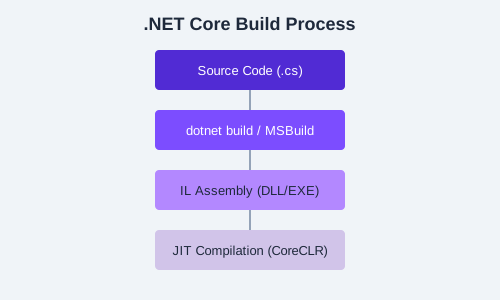
MSBuild is the build engine underlying all .NET builds. It processes XML-based project files and executes targets (build steps) composed of tasks (individual operations).
Properties
<PropertyGroup>
    <TargetFramework>net8.0</TargetFramework>
    <LangVersion>12</LangVersion>
    <ImplicitUsings>enable</ImplicitUsings>
    <Nullable>enable</Nullable>
</PropertyGroup>
Items
<ItemGroup>
    <Compile Remove="OldCode\**" />
    <EmbeddedResource Include="Resources\**\*" />
    <PackageReference Include="Microsoft.AspNetCore.App" />
</ItemGroup>
Targets and Tasks
<Target Name="CustomStep" AfterTargets="Build">
    <Message Text="Build completed!" Importance="high" />
    <Copy SourceFiles="output.dll" DestinationFolder="..\deploy\" />
</Target>
Metapackages
Metapackages reference a group of related NuGet packages without adding any code of their own:
- Microsoft.NETCore.App — The base runtime and framework libraries
- Microsoft.AspNetCore.App — All ASP.NET Core packages (MVC, Razor, SignalR, etc.)
- Microsoft.NETCore.App.Ref — Reference assemblies for targeting a specific runtime version
For web projects, use the
Microsoft.NET.Sdk.Web SDK which automatically references Microsoft.AspNetCore.App. You do not need to add it as a PackageReference.
Restoring and Building
dotnet restore    # Downloads missing packages and resolves dependencies
dotnet build      # Compiles the project incrementally
dotnet build --no-restore  # Skips restore for faster incremental builds
dotnet restore is implicit in dotnet build, dotnet run, and dotnet test unless you pass --no-restore.
Common MSBuild Properties
| Property | Description |
|---|---|
TargetFramework | Target framework moniker (e.g., net8.0, netstandard2.0) |
OutputType | Exe, Library, WinExe, Module |
LangVersion | C# language version (e.g., 12, latest) |
Nullable | Enable nullable reference types (enable/disable/annotations/warnings) |
ImplicitUsings | Auto-import common namespaces (enable/disable) |
PublishAot | Enable NativeAOT compilation (true/false) |
Exercise: Create a class library project and inspect the auto-generated
.csproj. Add a custom MSBuild target that copies the output DLL to a deploy folder after each build. Verify it runs with dotnet build.