Practice & Certification
HTML Practice Projects
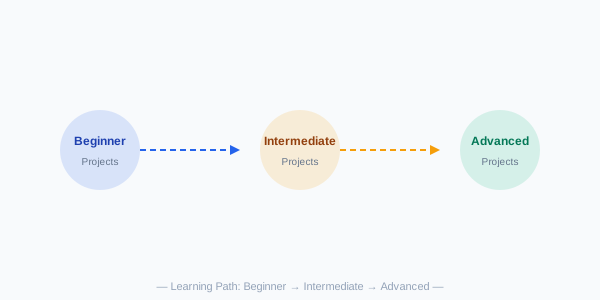
Build these projects to reinforce your skills, from beginner to advanced:
Beginner Projects
- Personal Profile Page — Create a single-page profile with your photo, bio, skills list, and social media links.
- Recipe Page — A recipe with ingredients (unordered list), steps (ordered list), and an image.
- Photo Gallery — A grid of images with captions using
<figure>and<figcaption>.
Intermediate Projects
- Multi-Page Website — Create a 4-page website (Home, About, Services, Contact) with a shared navigation bar and consistent styling.
- Registration Form — Build a complete registration form with validation using various input types.
- Blog Layout — A blog homepage with article cards, a sidebar with categories, and a footer.
Advanced Projects
- Portfolio Website — Your personal portfolio with a hero section, project showcase, testimonials, and contact form.
- E-Commerce Product Page — A product detail page with image gallery, size/color selectors, and add-to-cart functionality.
- Interactive Dashboard — A dashboard layout with charts (Canvas/SVG), data tables, and filter controls.
Certification Paths
Earning a certification validates your skills to employers. Here are recommended paths:
Free Certifications
- freeCodeCamp — Responsive Web Design Certification (300 hours, free)
- Sololearn — HTML Course with certificate
- W3Schools — HTML Certificate
Paid Certifications
- Microsoft Learn — HTML/CSS learning paths with badges
- LinkedIn Learning — Become a Front-End Web Developer path
- Google Digital Garage — Fundamentals of Digital Marketing
Sample Practice Test
Test your HTML knowledge with these questions:
- What does HTML stand for?
- Which tag is used for the largest heading?
- What attribute specifies alternative text for an image?
- Which tag creates an unordered list?
- What is the correct HTML element for inserting a line break?
- Which input type creates a checkbox?
- What does the
altattribute do? - Which element is used to define navigation links?
- How do you add a comment in HTML?
- What is the purpose of the
<meta charset="UTF-8">tag?
Answers: 1. HyperText Markup Language, 2. <h1>, 3. alt, 4. <ul>, 5. <br>, 6. <input type="checkbox">, 7. Alternative text for accessibility, 8. <nav>, 9. <!-- comment -->, 10. Sets character encoding for the document.
Next Steps After HTML
- CSS — Learn styling, layouts (Flexbox, Grid), animations, and responsive design
- JavaScript — Add interactivity, DOM manipulation, event handling, and API calls
- Version Control (Git) — Track changes, collaborate, and deploy your sites
- Build Tools — Explore npm, Webpack, Vite for modern development workflows
- Frameworks — React, Vue, or Angular for building complex web applications
Final Project Challenge
Combine everything you've learned — build a complete personal portfolio website with:
- A responsive layout (Flexbox/Grid + media queries)
- Semantic HTML5 structure
- Optimized images with proper alt text
- A contact form with validation
- Embedded media (video or map)
- Accessibility features (ARIA labels, skip links)
- meta tags for SEO and social sharing