10. API Testing
Playwright provides a built-in APIRequestContext for making HTTP requests. This lets you combine API and UI tests seamlessly.
Request Methods
import { test, expect } from '@playwright/test';

test('GET request', async ({ request }) => {
  const response = await request.get('https://api.example.com/users');
  expect(response.status()).toBe(200);
  const body = await response.json();
  expect(body.length).toBeGreaterThan(0);
});

test('POST request', async ({ request }) => {
  const newUser = await request.post('https://api.example.com/users', {
    data: { name: 'John', email: 'john@example.com' }
  });
  expect(newUser.status()).toBe(201);
});

test('PUT and DELETE', async ({ request }) => {
  await request.put('https://api.example.com/users/1', {
    data: { name: 'Updated' }
  });
  await request.delete('https://api.example.com/users/1');
});
Token Handling
test('authenticated API call', async ({ request }) => {
  // Get token
  const auth = await request.post('https://api.example.com/auth/login', {
    data: { username: 'admin', password: 'password' }
  });
  const { token } = await auth.json();

  // Use token
  const response = await request.get('https://api.example.com/protected', {
    headers: { Authorization: `Bearer ${token}` }
  });
  expect(response.status()).toBe(200);
});
Utils Refactor
// utils/api.ts
import { APIRequestContext } from '@playwright/test';

export async function createUser(request: APIRequestContext, data: any) {
  const response = await request.post('/api/users', { data });
  return response.json();
}

export async function getToken(request: APIRequestContext) {
  const res = await request.post('/api/auth/login', {
    data: { username: 'admin', password: 'password' }
  });
  return (await res.json()).token;
}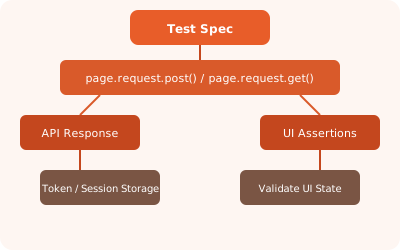
✏️ Exercise: Write a test that creates a user via API, then uses the UI to log in and verify the user's profile page shows the correct name.