17. Reporting & CI/CD
HTML Reporter
// playwright.config.ts
reporter: [
  ['html', { outputFolder: 'playwright-report' }],
  ['list'],  // also show in console
]

// View report
npx playwright show-report
Allure Reporter
npm install @playwright/test allure-playwright

// playwright.config.ts
reporter: [
  ['allure-playwright', { outputFolder: 'allure-results' }],
]

// Generate Allure report
allure generate allure-results -o allure-report --clean
allure open allure-report
Jenkins Integration
// Jenkins pipeline
pipeline {
  agent any
  stages {
    stage('Install') {
      steps {
        sh 'npm install'
        sh 'npx playwright install --with-deps'
      }
    }
    stage('Test') {
      steps {
        sh 'npx playwright test'
      }
      post {
        always {
          junit 'test-results.xml'
          publishHTML([reportDir: 'playwright-report', reportName: 'Playwright'])
        }
      }
    }
  }
}
GitHub Actions
# .github/workflows/playwright.yml
name: Playwright Tests
on:
  push: { branches: [main] }
  pull_request: { branches: [main] }
jobs:
  test:
    runs-on: ubuntu-latest
    steps:
      - uses: actions/checkout@v4
      - uses: actions/setup-node@v4
        with: { node-version: 20 }
      - run: npm ci
      - run: npx playwright install --with-deps
      - run: npx playwright test
      - uses: actions/upload-artifact@v4
        if: always()
        with:
          name: playwright-report
          path: playwright-report/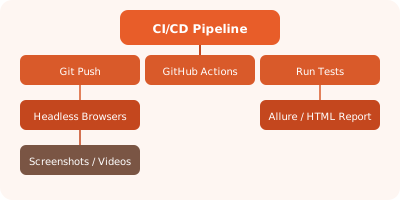
✏️ Exercise: Set up a GitHub Actions workflow that runs Playwright tests on push and uploads the HTML report as an artifact.