8. Inspectors & Tools
Playwright Inspector
Interactive debugging tool that steps through your test:
# Run test in debug mode
npx playwright test --debug

# Or set PWDEBUG=1
$env:PWDEBUG=1
npx playwright test
The Inspector pauses at each action and shows the DOM state, locator suggestions, and actions you can perform.
Codegen (Test Generator)
Record interactions and generate Playwright code automatically:
npx playwright codegen https://example.com

# Preset to generate JavaScript
npx playwright codegen --target javascript https://example.com

# Preset to generate TypeScript
npx playwright codegen --target typescript https://example.com
Trace Viewer
View a full trace of your test with DOM snapshots, network logs, and timing:
// In config: trace: 'on-first-retry' or 'on'

// View trace
npx playwright show-trace trace.zip
HTML Report
npx playwright show-report

// Reports are generated in playwright-report/ by default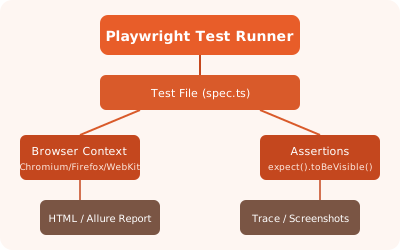
✏️ Exercise: Run Codegen on SauceDemo, record a login flow, save the generated script, and run it with the Inspector.