Practice & Resources
This chapter consolidates everything from the tutorial into a quick reference guide, a cheatsheet, study resources, and interview preparation material. Bookmark this page for daily practice.
React Quick Reference
| Pattern | Code |
|---|---|
| Functional component | const Comp = ({ name }) => <h1>{name}</h1>; |
| useState | const [count, setCount] = useState(0); |
| useEffect | useEffect(() => { ... }, [deps]); |
| useRef | const ref = useRef(null); ref.current.focus(); |
| Conditional render | {isLogged ? <Dash /> : <Login />} |
| List rendering | items.map(i => <Item key={i.id} />) |
| Event handling | <button onClick={() => handle()}>Click</button> |
Hooks Summary
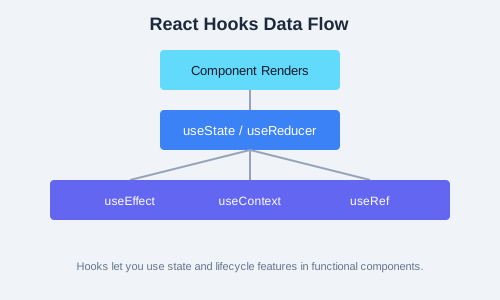
useState— local component stateuseEffect— side effects (data fetching, subscriptions, DOM manipulation)useContext— consume a React contextuseReducer— complex state logic with reducer functionsuseCallback— memoize a callback functionuseMemo— memoize a computed valueuseRef— mutable ref to DOM element or valueuseImperativeHandle— customize exposed ref methodsuseLayoutEffect— synchronous effect after DOM mutationsuseDebugValue— label custom hooks in DevToolsuseTransition— mark state update as non-urgentuseDeferredValue— defer re-rendering of a valueuseId— generate unique IDs for accessibilityuseSyncExternalStore— subscribe to external stores
Axios Cheatsheet
import axios from "axios";

// GET
const { data } = await axios.get("/api/users");

// POST
await axios.post("/api/users", { name, email });

// PUT
await axios.put("/api/users/1", { name });

// DELETE
await axios.delete("/api/users/1");

// Interceptors
axios.interceptors.request.use((config) => {
  config.headers.Authorization = `Bearer ${token}`;
  return config;
});

// Error handling
try {
  const { data } = await axios.get("/api/data");
} catch (err) {
  if (err.response?.status === 404) { /* not found */ }
}
Useful Resources
- React Docs — react.dev (official docs with interactive examples)
- Awesome React — curated list of React tools and resources on GitHub
- React TypeScript Cheatsheet — patterns for typing React components with TypeScript
- React DevTools — browser extension for profiling and inspecting component trees
- Discussion Forums: Reactiflux Discord, Stack Overflow, Reddit r/reactjs
8-Week Study Plan
- Week 1-2: JSX, components, props, useState, conditional rendering, lists
- useEffect, data fetching, custom hooks
- Forms, refs, context, useReducer
- React Router, navigation patterns
- State management (Redux Toolkit or Zustand)
- Testing, performance, accessibility
- Build a capstone project + mock interviews
Interview Prep Questions
- What is the virtual DOM and how does React use it?
- Explain the difference between controlled and uncontrolled components.
- How does the useEffect dependency array work?
- What is prop drilling and how can you avoid it?
- Explain the Flux pattern and how Redux implements it.
- What is the purpose of keys in React lists?
- How do you optimize performance in a React app?
- What are error boundaries and what are their limitations?
- Explain the difference between useMemo and useCallback.
- How does React.lazy help with code splitting?
Glossary of Terms
- Component
- A reusable, self-contained piece of UI, written as a function or class.
- JSX
- Syntax extension for JavaScript that looks like HTML, transpiled to
React.createElementcalls. - Virtual DOM
- An in-memory representation of the real DOM. React diffs it against the updated version to apply minimal DOM patches.
- Hook
- Functions that let you use React features (state, effects, refs) inside functional components.
- Props
- Read-only data passed from parent to child components.
- State
- Data that changes over time and triggers re-renders when updated.
Exercise: Interview Simulation
- Write answers to all 10 interview questions above.
- Build a small app (e.g. a GitHub user search) using the full stack of tools learned in the tutorial.
- Share your capstone project on GitHub and deploy it to Vercel or Netlify.
- Review your portfolio and write a brief case study for each project.